
Primary-school English spelling and dictation practice
The school's spelling list, without the weekly battle.
Take a photo of the list your child's school sent home for the next spelling test. Spelling Stars reads each word aloud and guides your child through the practice at their own pace, as often as they need, then shows you which words need another go.
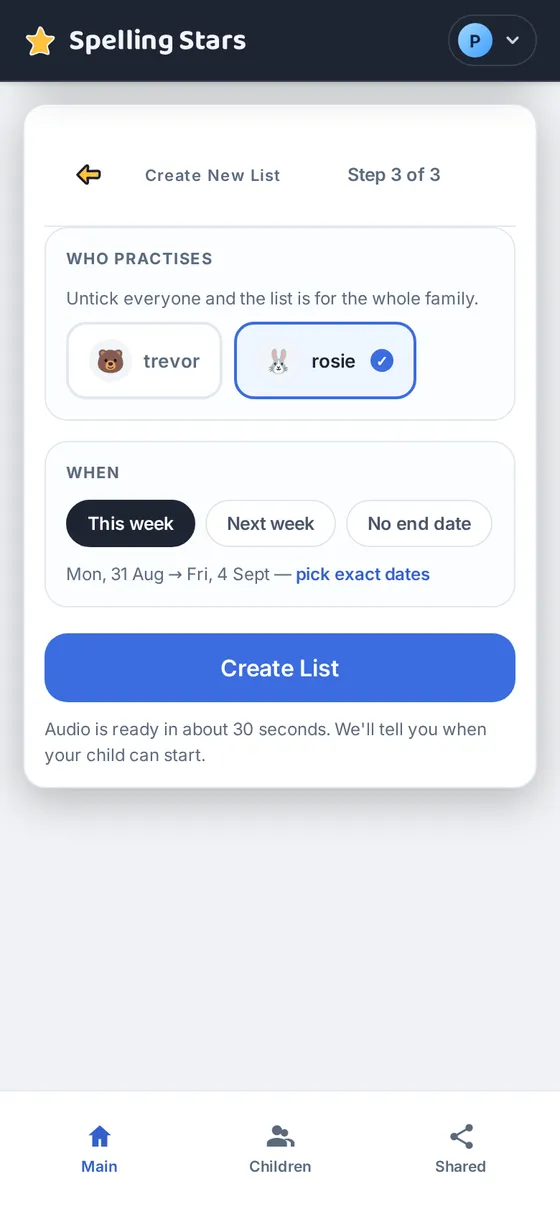
A few minutes a week from you: add the school's list and set its dates. There's no course to follow: your child practises the words you add.
Hear a sample · “Three small frogs jump in the grass.”
Start on the Free plan. Nothing to install.
Built for busy parents. Made for kids.

Less reading aloud for you.
Your child can hear each word in clear, natural speech as often as they need. Spelling Stars handles the reading aloud, so you don't have to repeat the list for every practice session.

A clear path from first look to spelling it.
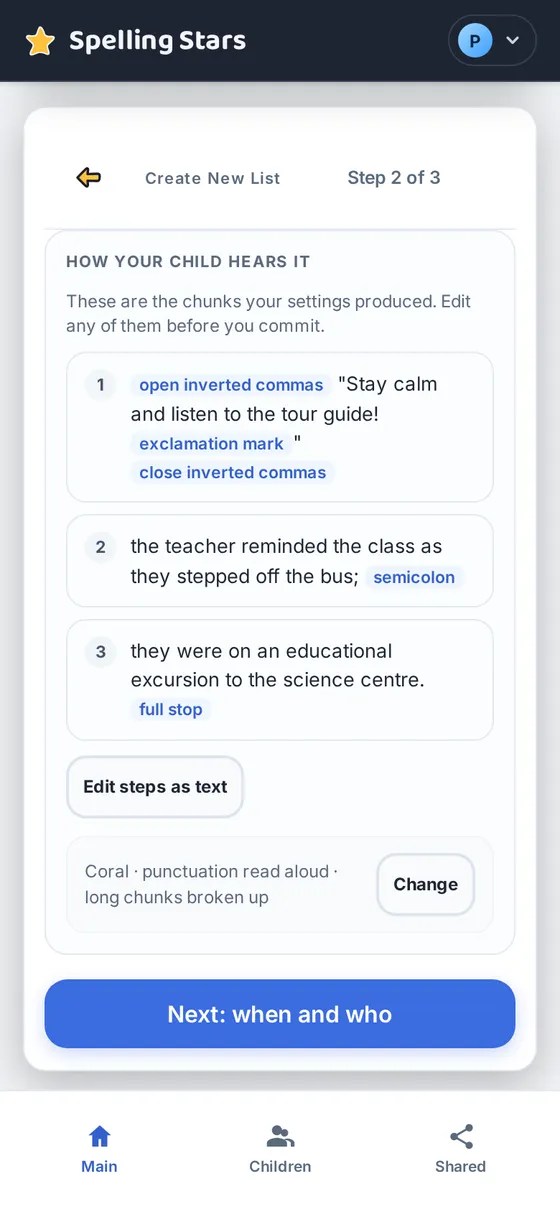
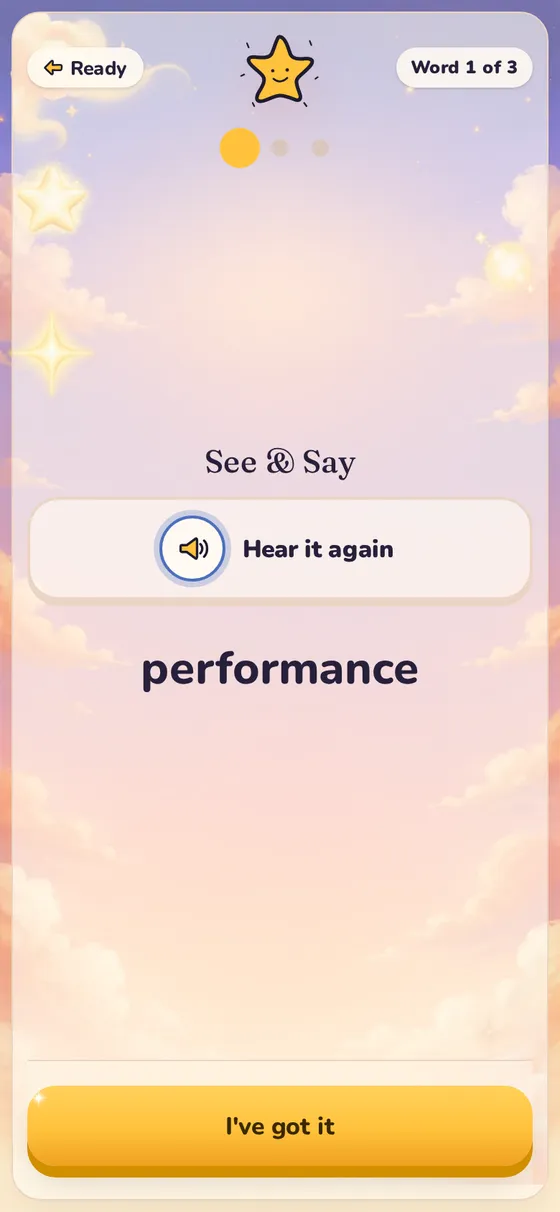
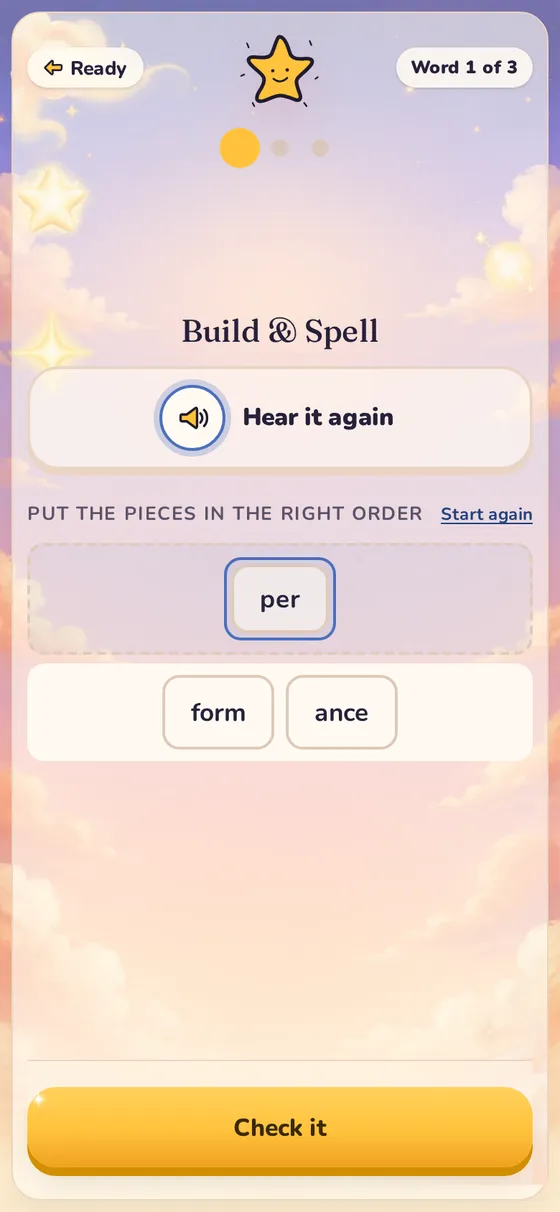
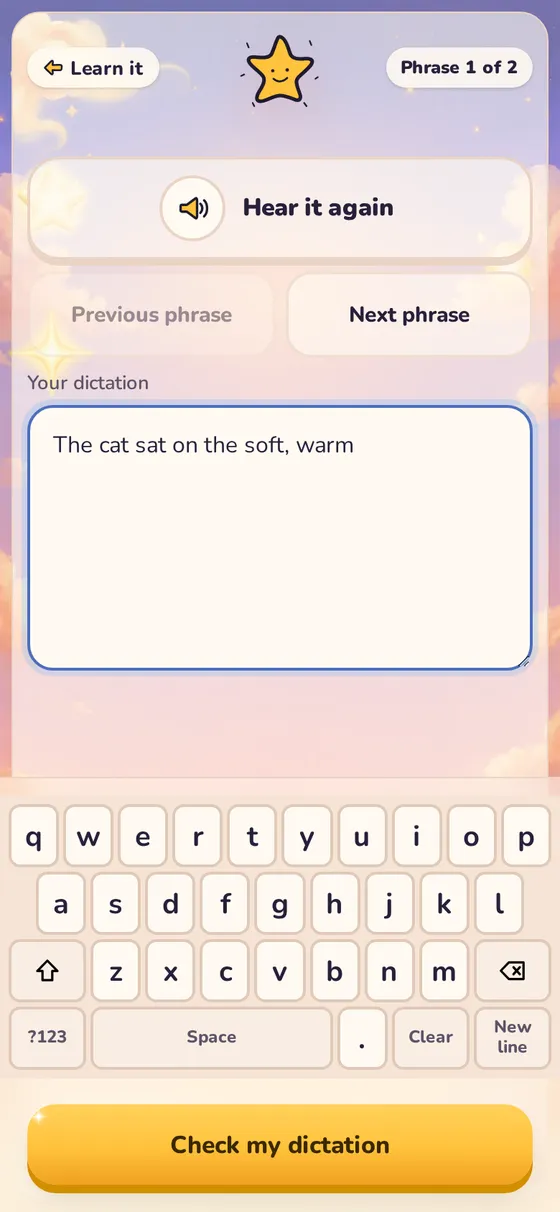
Not sure how to start on their own? Learn it gives your child a routine: see each word, rebuild longer words from their parts, fill in the missing letters, then spell it. When they're ready, Spell it checks them in two steps: letter tiles at Level 1, typing at Level 2. Dictation reads passages aloud, phrase by phrase.

See what needs another go.
Review each child's scores and the words they found difficult, so you can decide what to practise next. On Plus, you can also turn on a short daily summary email each evening, with the scores and the words to go over.

Practise anywhere.
It runs in the browser on a phone, tablet or computer, with nothing to install. Fit a short practice session into your day, whether you're at a café, on the train or visiting family.
How it works
From this week's school list to spelling practice
Add the school's list.
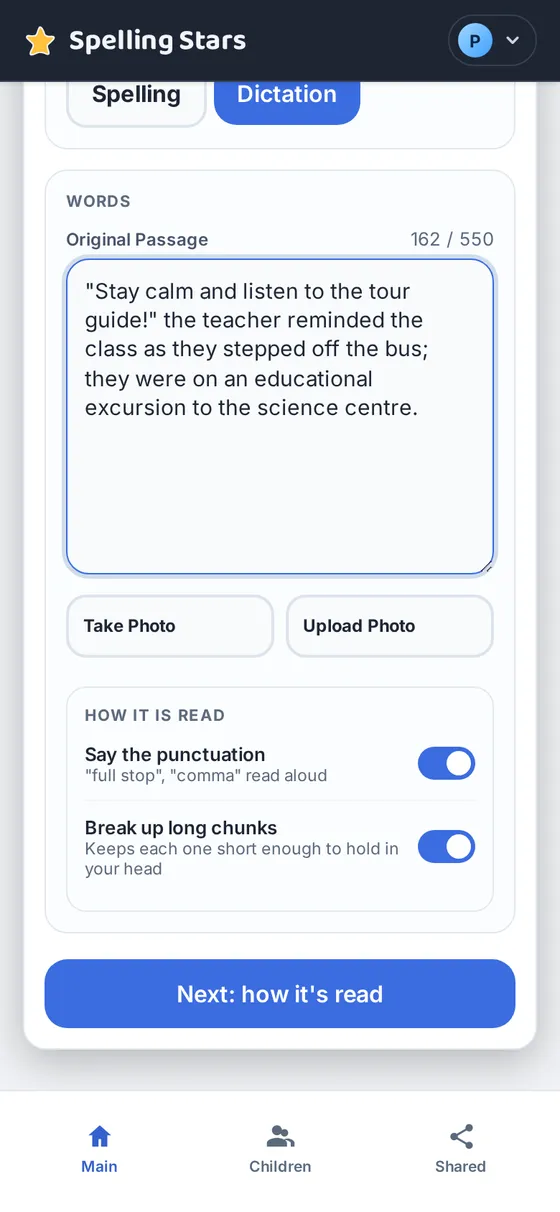
Take a photo of the sheet or type in the words, then check them before saving. You can also add passages for dictation. We prepare the audio after you save, and your child can start practising once it's ready.
Your child practises.
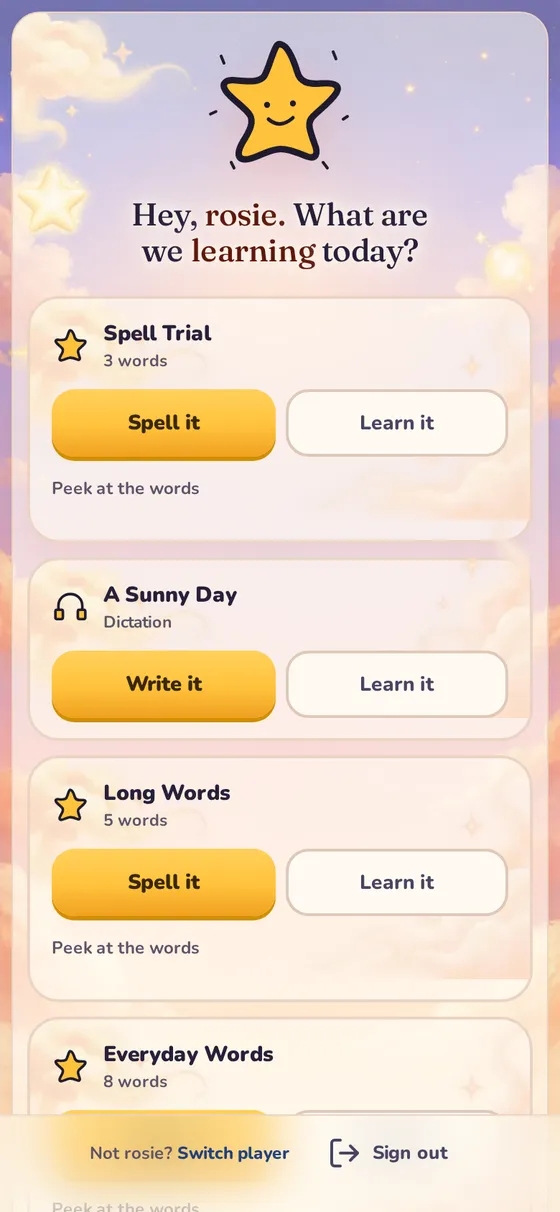
On a device set up for your family, your child chooses their avatar and enters their PIN. Learn it guides them step by step, from seeing a word to spelling it. Spell it then checks them at two levels, with each word read aloud and never shown. Both are designed to help your child practise with less assistance from you.
See what needs another go.
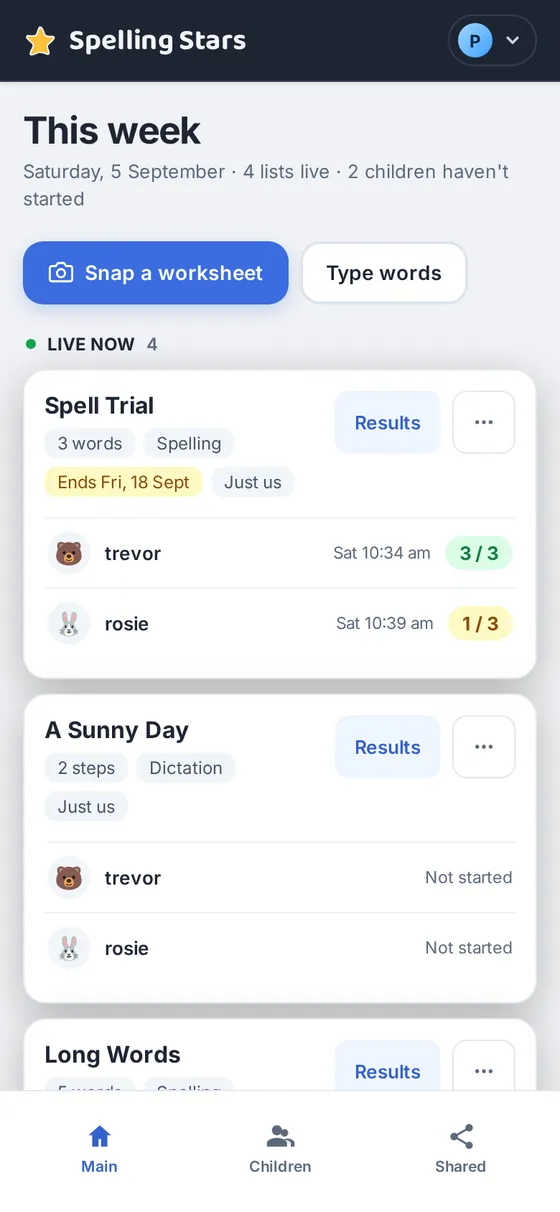
The This week section shows each child's latest score. Open a list's results to see which words they found difficult and decide what to practise next.
To get started, create your account, add a profile for each child and set up the device they'll use. Our step-by-step guide walks you through the process.
Your screen
This week, at a glance
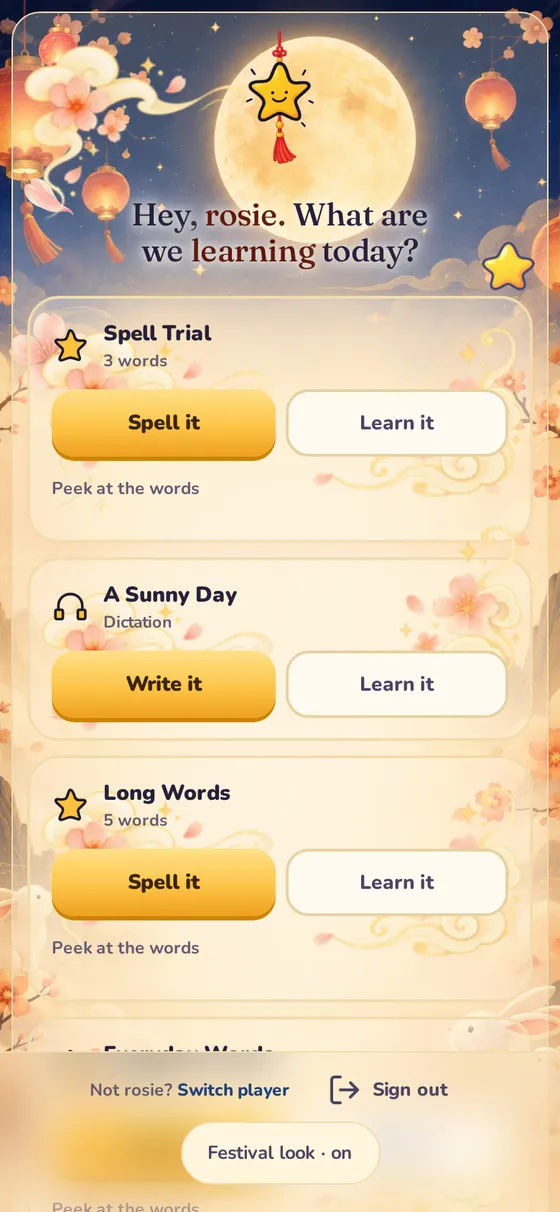
See which lists are available, who has started practising and how each child is doing. Snap a worksheet or type the words, and the audio is made for you.
The child's screen
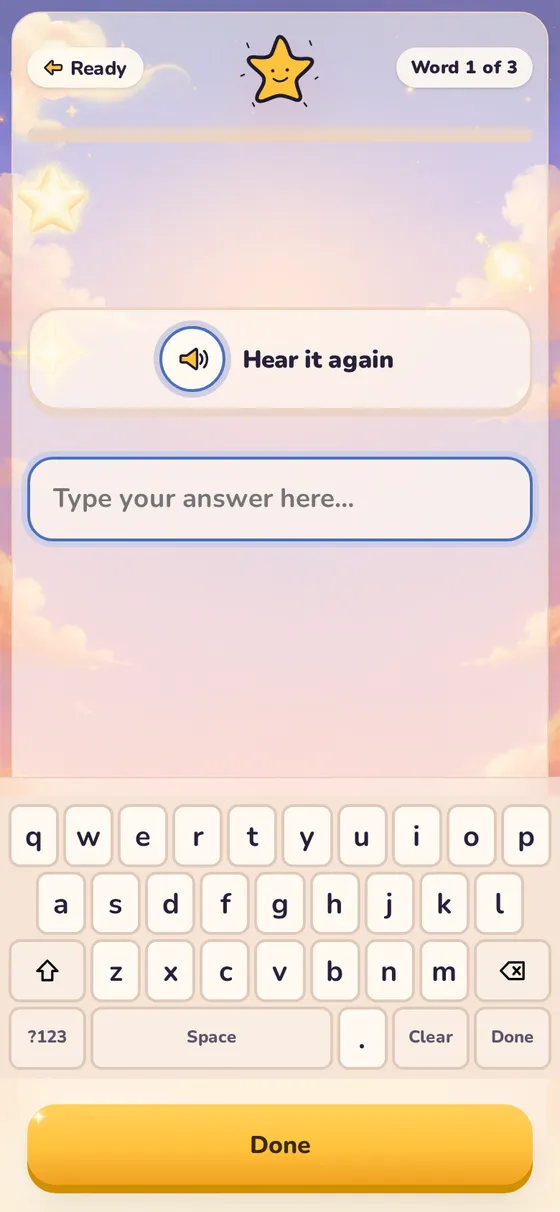
Spell it
Your child can listen to each word as often as they need, then type it at Level 2 or build it with letter tiles at Level 1. In Spell it, the word is heard and never shown.
Kids & safety
Your child has no email and no password.
A child's account is a nickname, an avatar and a four-digit PIN, and it lives under yours. There is nothing for a child to sign up for, share, or forget.
Children sign in with their avatar and PIN, only on a device set up for your family.
A child sees their own family's lists and nothing else. Word lists and results belong to your family.
The audio is generated per word and kept in secure storage. In Spell it, the word is never shown before your child spells it.
No social feed, no friends to add, no comparing children. Your child's results are never shared, and your word lists stay within your family.
Coming next
Shared lists by school and level
Tag a list with the school, the level and the week, and another family at the same school can pick it up instead of typing it again. Use shared lists to prepare for upcoming school spelling practice.
Refer a friend
Bring another family in and both of you get something back.
Pricing
One plan for the whole family.
Start free with one child. Move to Plus when you want no monthly word limit, dictation, more children and every past result. Try Plus free for 14 days, no card needed. We email you before it ends, and nothing is charged unless you choose to continue.
Plus
S$3.90 a month
S$2.42 a month
S$29 billed yearly — save S$17.80
Cancel anytime.
No card needed for the trial. With PayNow, you pay the year up front.
The free trial allows up to 300 new words a month.
| What you get | Free | Plus |
|---|---|---|
| Your family | ||
| Children | 1 | Up to 3more on request |
| Spelling lists | 10 at a timeup to 30 new words per month. | 200 at a timeno monthly word limit |
| Words or phrases per listone per line; "ice cream" counts as one | 15 | 15 |
| Snap a worksheet (photos a day)a photo of a spelling list becomes a list | 3 | 10 |
| Narrator | 1 | Choose from 4 |
| Practice | ||
| Add a list by typing or from a photo | Included | Included |
| Dictationpassages of up to 700 characters, read aloud phrase by phrase | Not included | Included |
| Tricky-word practicestar the hard words in a passage and practise them, and go over the words missed | Not included | Included |
| For grown-ups | ||
| This week: a recap of each childlists, scores and tricky words, on your parent page | Included | Included |
| Results | Latest attempt | Every attempt, kept |
| Daily summary emailsent at 8pm on days your child practised; turn it on or off in your account | Not included | Included |
| Paying | ||
| Ways to pay | Not included | Card, renews itselfmonthly or yearlyor PayNow for a yearpaid up front, with a reminder before it runs out |
| Cancel | Not included | Any timeyou keep Plus to the end of what you paid for |
Stop any time, lose nothing
If you move back to Free, every list, word and result stays. Anything over the Free limits waits, and comes back when you return to Plus.
Children never see a price
Plans and payments live on the parent page only. Your child's screen has no upgrade buttons, locks or reminders.
Spelling Stars is for English words. Lists can only hold what the child's English keyboard can type, so words in other scripts, such as Chinese or Tamil, can't be practised.
Prices in Singapore dollars (SGD). No GST is charged. Plus is S$3.90 billed monthly, or S$29 billed once a year. Changed your mind? Ask within 7 days of your first yearly payment for a full refund. Payments are handled by Stripe on its secure payment page, by Visa, Mastercard or American Express card, Apple Pay, Google Pay, or PayNow for a year; we never see or store your card number, and your statement shows SPELLING STARS. Questions: product.spelling-stars@marcys-lab.sg. Terms of use
Questions
Questions parents ask
Is Spelling Stars free?
Yes. The Free plan is free for as long as you like: one child, and up to 30 new words a month, in lists of up to 15 words. Plus adds no monthly word limit, dictation, up to 3 children and every past result, for S$3.90 a month or S$29 a year, with a 14-day free trial, no card needed.
Does it come with its own word lists?
Only samples. It's built for the list your child's school sent home: type the words in, or photograph the sheet and let the scan read them for you. You check and edit the words before the list is created.
Which levels is it for?
Any primary-school level. Add the list your child's school sent home by typing in the words or uploading a photo. The sample lists on this site are starting points for practice, rather than a syllabus.
My child doesn't know how to study a spelling list alone. Can this help?
Learn it gives them a routine to follow: see each word, rebuild it, fill in the gaps, then spell it. When they're ready, Spell it checks them at Level 1 with letter tiles, then at Level 2 by typing. Some children will still want you nearby at first.
Does Spelling Stars teach English?
Spelling Stars helps your child review and practise words from their school spelling list. You can also add your own words and passages for dictation. Learn it shows longer words in smaller parts before your child tries spelling them, and the results help you see what needs more practice. It supports spelling practice rather than providing a full English course. It does not include lessons in grammar, reading or word meanings.
Is it the same as the test at school?
Spelling Stars helps your child practise listening to words and spelling them. In the app, they type their answers or select letter tiles; a school test may require them to write the words by hand. You can also practise on paper to help your child prepare for that format.
Does it work on a phone?
Yes. It runs in the browser on any phone, tablet or computer, and there is nothing to install. A child's own phone or tablet joins the family from a link you send, with no sign-in there.
Does my child need an email address?
No. A child's account is a nickname, an avatar and a four-digit PIN, and it lives under yours. Children have no email address and no password.
What does the audio sound like?
Clear, natural speech, generated one word or one phrase at a time. You can hear a sample of it at the top of this page.